
Mobile Accessibility Testing
Mobile accessibility testing helps you understand whether disabled people can use your app in the real world. At Access by Design, we provide accessibility testing for mobile apps across iOS, Android and hybrid platforms, combining technical review with real disabled user testing. We also carry out accessibility mobile testing and accessibility testing on mobile so your app can be reviewed in the way people actually use it.
Mobile apps are often treated as separate from website accessibility, but they can create just as many barriers. A user may not be able to reach a button with a screen reader. A form may not announce errors clearly. A custom gesture may be impossible for someone with limited dexterity. Text may resize badly. Colour contrast may fail. A journey that feels simple to one person may become impossible for someone using VoiceOver, TalkBack, switch control, voice control or magnification.
That is why accessibility testing for mobile apps needs to be practical, detailed and human. It cannot be reduced to a quick technical scan. Your app needs to be tested by people who understand accessibility, assistive technology and real user behaviour.
Why Mobile App Accessibility Matters
Mobile apps are now central to everyday life. People use them to manage money, book appointments, order food, access healthcare, buy tickets, study, travel, shop, communicate and manage public services. If your app is not accessible, disabled users may be excluded from services that other people can use without difficulty.
That exclusion can be frustrating, stressful and damaging. It can also create legal, reputational and commercial risk. Public sector mobile apps in the UK are covered by accessibility requirements. Many private sector apps may also be affected by equality law, procurement expectations, the European Accessibility Act or similar legislation in other regions.
Mobile accessibility testing helps you understand the barriers before they become complaints. It gives you evidence, priorities and a practical route to improvement. It also shows that your organisation is taking accessibility seriously, rather than hoping nobody notices the problem.
A mobile app can look polished and still be inaccessible. The visual design may be elegant, the branding may be strong and the interface may appear simple, yet disabled users may still be blocked. This is why accessibility testing for mobile apps must include real interaction, not just visual inspection.
What Makes Mobile Apps Different?
Mobile apps have their own accessibility challenges. A website is usually tested through a browser, while a mobile app may use native controls, custom components, gestures, device settings, operating system accessibility features and third party integrations.
Users may interact with an app through touch, voice, screen readers, keyboard input, switch access, screen magnification, larger text settings, reduced motion settings or high contrast preferences. Each of these can change how the app behaves.
Accessibility testing on mobile needs to consider the whole app experience. That includes onboarding, navigation, login, forms, alerts, modals, error messages, payment journeys, account areas, documents, video content and notifications.
Common mobile barriers include buttons without accessible names, icons that are not announced properly, controls that are too small, focus order that makes no sense, gestures with no alternative, content that disappears when text is enlarged and error messages that are not communicated to assistive technology users.
These problems are not always obvious to designers or developers. They often appear only when someone uses the app in a different way. That is why mobile accessibility testing needs to involve people who know how these barriers feel in practice.
Accessibility Testing For Mobile Apps With Real Users
Our approach to accessibility testing for mobile apps combines technical review with real user insight. We test how the app performs for people using assistive technology and different access settings. We also review whether key journeys can be completed without confusion, friction or exclusion.
We do not simply ask whether a screen passes or fails. We ask whether a person can actually use the app. Can they understand where they are? Can they move through the interface? Can they activate controls? Can they complete important tasks? Can they recover from mistakes? Can they access the same information as everyone else?
This kind of accessibility mobile testing is especially important when apps use custom components. A custom button may look perfect, but if it is not exposed correctly to assistive technology, it may be useless to a screen reader user. A custom slider may look impressive, but if there is no accessible alternative, it may block users with motor impairments.
Real user testing gives you insight that tools cannot provide. It helps you understand impact, not just code. That makes the findings easier to prioritise and easier for your development team to act on.
What We Test In A Mobile App Audit
Accessibility testing for mobile apps should cover the features and journeys that matter most to your users. The exact scope depends on the app, but we usually review core screens, high value journeys and areas where users are most likely to encounter barriers.
This may include login and registration, navigation, search, menus, forms, checkout journeys, booking journeys, account management, settings, notifications, media, documents, maps, chat functions and any custom interactive elements.
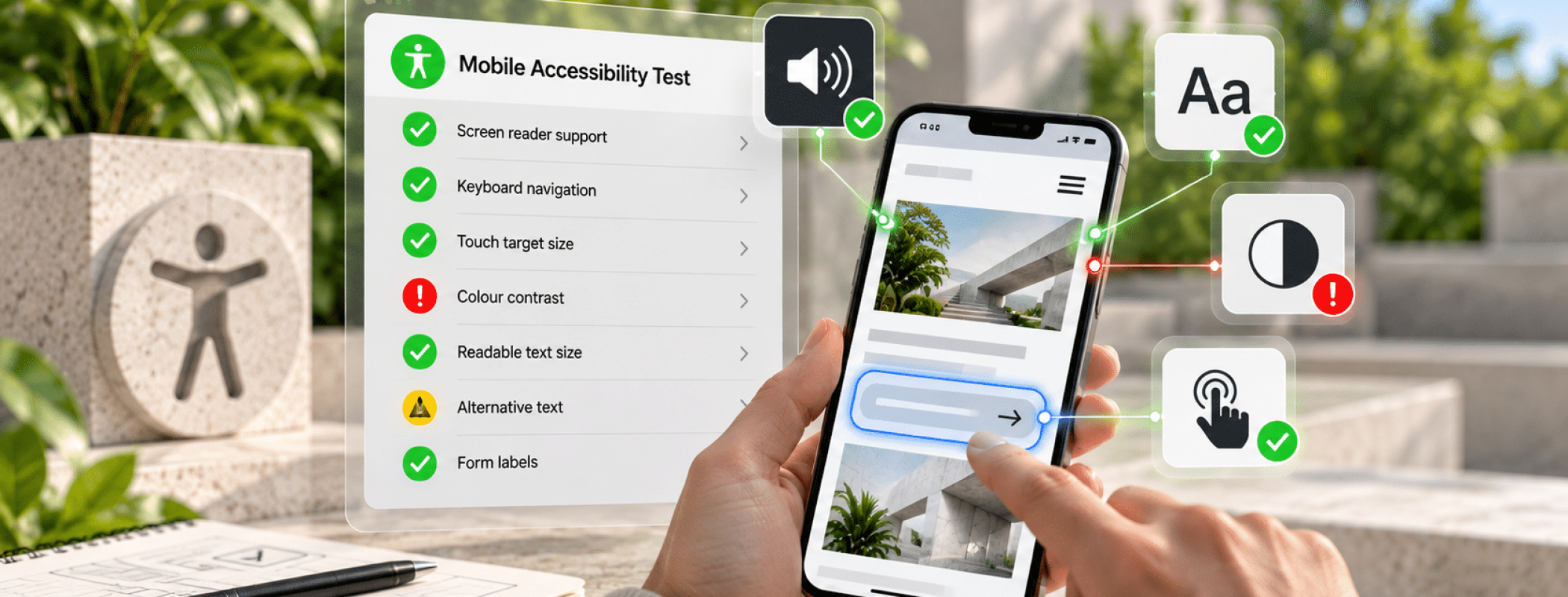
During mobile accessibility testing, we may review areas such as:
- Screen reader behaviour with VoiceOver and TalkBack
- Accessible names for buttons, links, icons and controls
- Focus order and focus visibility
- Keyboard and external input support where relevant
- Touch target size and spacing
- Colour contrast and visual readability
- Text resizing and reflow
- Orientation and zoom behaviour
- Error messages and form validation
- Gesture alternatives
- Reduced motion and animation settings
- Content clarity and cognitive load
Accessibility testing on mobile also needs to consider how the app behaves across devices and operating systems. An issue may appear on Android but not iOS, or it may affect one version of a screen reader more than another. That is why the testing scope should be agreed carefully before work begins.
Why Automated Tools Are Not Enough
Automated tools can support accessibility testing for mobile apps, but they cannot replace human judgement. They may identify some missing labels, contrast problems or structural issues, but they cannot tell you whether the app journey makes sense to a disabled user.
A tool cannot reliably judge whether an icon label is meaningful. It cannot tell whether a screen reader announcement gives enough context. It cannot know whether a gesture is realistic for someone with limited dexterity. It cannot feel the frustration of being trapped in a modal or forced through a confusing journey.
This is where human testing matters. Disabled testers can explain the barrier, the impact and the practical consequence. They can tell you whether a problem is minor, irritating, serious or completely blocking.
Accessibility mobile testing is not just about technical compliance. It is about whether people can use your app independently. That is the difference between a report that looks tidy and testing that genuinely protects users.
Mobile Accessibility Testing And Compliance
Compliance is a major reason organisations ask for mobile accessibility testing. That is sensible. Mobile apps are increasingly included in legal, procurement and regulatory expectations. Public sector apps in the UK need to meet accessibility standards and publish clear accessibility information. Apps used by consumers in Europe may also be affected by the European Accessibility Act, depending on the product or service.
W3C guidance explains how WCAG can be applied to mobile applications, including native apps, mobile web apps and hybrid apps. That means many of the same principles apply. Content must be perceivable, operable, understandable and robust. The practical detail changes on mobile, but the goal stays the same.
Accessibility testing for mobile apps helps your organisation understand where the app stands against recognised expectations. It can also support procurement, supplier management, product improvement, legal risk reduction and long term accessibility planning.
It is important not to overclaim. A mobile app should not be described as accessible unless that claim is backed by proper evidence. A weak or inaccurate compliance claim can create risk. A clear report, based on real testing, gives you a stronger and more honest position.
What You Receive From Our Testing
Our accessibility testing for mobile apps is designed to give you clear, practical findings. We explain what is wrong, who it affects, why it matters and what needs to change.
Your report can include issue summaries, severity levels, screenshots, screen references, user impact notes and recommended fixes. Where useful, we can also provide video evidence or tester feedback to help your team understand the problem more clearly.
Developers often find this especially helpful. A technical issue becomes much easier to fix when they can see how it affects a real person. Product owners also benefit because they can prioritise improvements based on user impact, not guesswork.
Mobile accessibility testing should not leave you with a confusing list of problems and no next step. The purpose is to help you move forward. We aim to make the findings clear enough for decision makers and detailed enough for technical teams.
When To Test Your Mobile App
The best time to test is before launch. Accessibility issues are usually cheaper and easier to fix when they are found early. Testing wireframes, prototypes or beta builds can prevent serious problems from becoming embedded in the final product.
Many organisations come to us after launch, often because a user has complained, a client has raised a procurement concern or a compliance deadline is approaching. That is still useful, but it can be more expensive because the app may already need structural changes.
Accessibility testing on mobile should also happen after major updates. A new feature, new design system, new payment journey or major operating system change can introduce fresh barriers. Accessibility is not a one time task. It needs to be reviewed as the app evolves.
If your mobile app is central to your service, it should be treated as a critical accessibility risk. That means testing it properly, keeping evidence and planning improvements over time.
Accessibility Testing For Mobile Apps From Access By Design
Access by Design brings together accessibility expertise, technical understanding and lived experience of disability. We understand that mobile apps are complex, and we know that disabled users can be blocked by issues that are easy for others to miss.
Our accessibility testing for mobile apps is suitable for organisations that need clear evidence, practical recommendations and honest advice. We do not offer empty reassurance. We tell you what we find, explain why it matters and help you understand the safest next step.
This service can sit alongside our wider accessibility audit work, or it can be scoped as a dedicated mobile app review. If your app also connects to a website, customer portal or document library, we can help you assess the wider digital journey too.
You may also need clear public accessibility information once the app has been tested. Our accessibility statement service can help you explain your position properly, based on evidence rather than guesswork.
For wider guidance, you can review the W3C guidance on WCAG 2.2 and mobile applications and the GOV.UK website.
Talk To Us About Your App
If your organisation depends on a mobile app, accessibility should not be left to chance. A polished interface does not guarantee an inclusive experience. The only safe route is to test properly, understand the barriers and fix the issues that prevent disabled people from using the app.
Whether you need mobile accessibility testing before launch, accessibility mobile testing after a major update or accessibility testing on mobile because a problem has already been raised, we can help you get clarity.
Contact Access by Design to discuss accessibility testing for mobile apps and the safest next step for your organisation.
Would you like to speak with people
who understand inclusive web design?
Whether you are planning a new website, reviewing an existing platform or trying to understand your accessibility obligations, we would love to help.
Please get in touch to discuss your project, accessibility goals or digital challenges.