

What Manual Keyboard Testing Reveals That Most Developers Never See
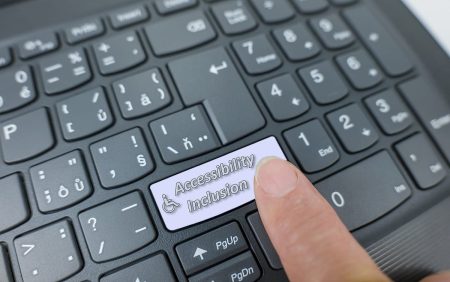
Most people browse the web with a mouse or touch screen. They click, tap and scroll without thinking about how much effort goes into each movement. Many users cannot do this. They rely on the keyboard for every part of their online interaction. Their experience reveals a side of the web that developers rarely witness.
Manual keyboard testing shines a light on hidden barriers. It shows where people get stuck, where focus becomes lost and where journeys simply do not work. These issues cannot be seen by automated tools and often go unnoticed in regular development processes.
Manual testing brings these problems to the surface so they can be understood and resolved.
The Importance Of Clear Focus Indicators
A keyboard user moves through a page by pressing the Tab key. Each press should move the focus to the next interactive element. A clear visual outline should appear to show where the user is. This is essential for navigation and confidence.
Many websites hide this outline because designers feel it looks untidy. The result is that a keyboard user cannot see where they are. They tab through a website in darkness, guessing their position and hoping they land on the right element. This makes the web stressful and unpredictable for people who rely on the keyboard.
Manual testing checks whether the focus indicator is clear, consistent and visible in every state.
Logical Tab Order Matters More Than It Seems
Keyboard users expect the Tab key to move through the page in a predictable path. The journey should start at the top, move through menus, buttons, forms and content in a logical flow, then end in the footer.
Websites often fail here. Items jump out of sequence. Sidebars interrupt the flow. Focus becomes trapped inside widgets. Pop ups hijack control. Users cannot escape menus. A person who depends on the keyboard can very quickly become stuck.
Developers rarely see this because mouse use hides the issue. Manual testing exposes it immediately.
Interactive Elements Must Behave Correctly
A website may look simple on the surface but behave strangely under keyboard control. Buttons that click normally with a mouse might fail when activated with the Enter key. Dropdown menus might not open. Sliders might freeze. Tabs might not switch. Hidden content might never become available.
Keyboard users expect consistency. A website should respond properly to standard keys. If it does not, entire sections of the site become unusable.
Manual testing reveals exactly where this happens so developers can correct the behaviour.
Pop Ups And Overlays Often Break Navigation
Many websites use pop ups for messages, sign ups or cookie banners. These can appear at unexpected times and block content. A keyboard user must be able to move focus inside the pop up, close it and return to the main content easily.
Pop ups frequently trap focus. A user becomes stuck inside the element and cannot escape. In some cases the pop up cannot be reached at all and remains on screen without offering an accessible path to dismiss it.
Manual testing identifies these traps. Developers often do not realise they exist because they use the mouse to close them.
Forms Are A Major Source Of Frustration
Forms require careful attention when tested manually with a keyboard. Labels must be clear. Error messages must appear in the right place. A user must be able to move through each field without interruption.
Forms often break when used without a mouse. Error messages can scatter across the page. Focus can jump to unexpected places. Buttons can lose focus entirely. A user might complete a full form only to discover the submit button cannot be reached.
Manual testing uncovers these issues and shows how the form behaves in real situations.
Menus Can Become Impossible Without A Mouse
Navigation menus often rely on hover events that do not translate well to keyboard use. A menu might appear fine visually but collapse the moment the user attempts to open it using the keyboard.
Nested menus can be especially difficult. A single focus error can cause the whole navigation to disappear. Manual testing checks that each level works, that focus remains stable and that a user can move through the menu at their own pace.
This experience cannot be simulated fully by automated tools.
Why Manual Keyboard Testing Matters
Keyboard testing reveals how the website behaves when every step relies on predictable structure. It highlights where design is fragile, where code is incomplete and where user journeys fall apart.
This testing shows developers what real users experience. It helps organisations understand where improvements are needed to create a fair and usable website.
These findings are brought together in our detailed accessibility audit which explains the problems clearly and offers practical guidance to resolve them.
Improving The Experience Benefits Everyone
Keyboard accessibility is not only for disabled users. Many people use the keyboard for speed, mobility or personal comfort. When a website works well with the keyboard, it tends to work better for everyone.
Manual testing reveals the truth about how a website behaves under real pressure. This insight strengthens the design, improves user satisfaction and reduces support issues. It creates a more inclusive and dependable experience.



Would you like to speak with people
who understand inclusive web design?
Whether you are planning a new website, reviewing an existing platform or trying to understand your accessibility obligations, we would love to help.
Please get in touch to discuss your project, accessibility goals or digital challenges.